All courses are listed here: https://healthclub.hezen.us/
Some of them are free and do not require a login, while others require a login or a login & payment.
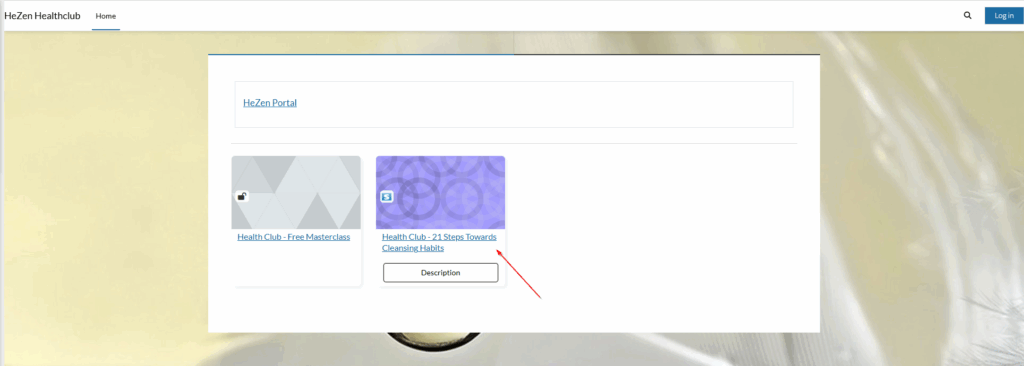
If you have already paid, then just log in.
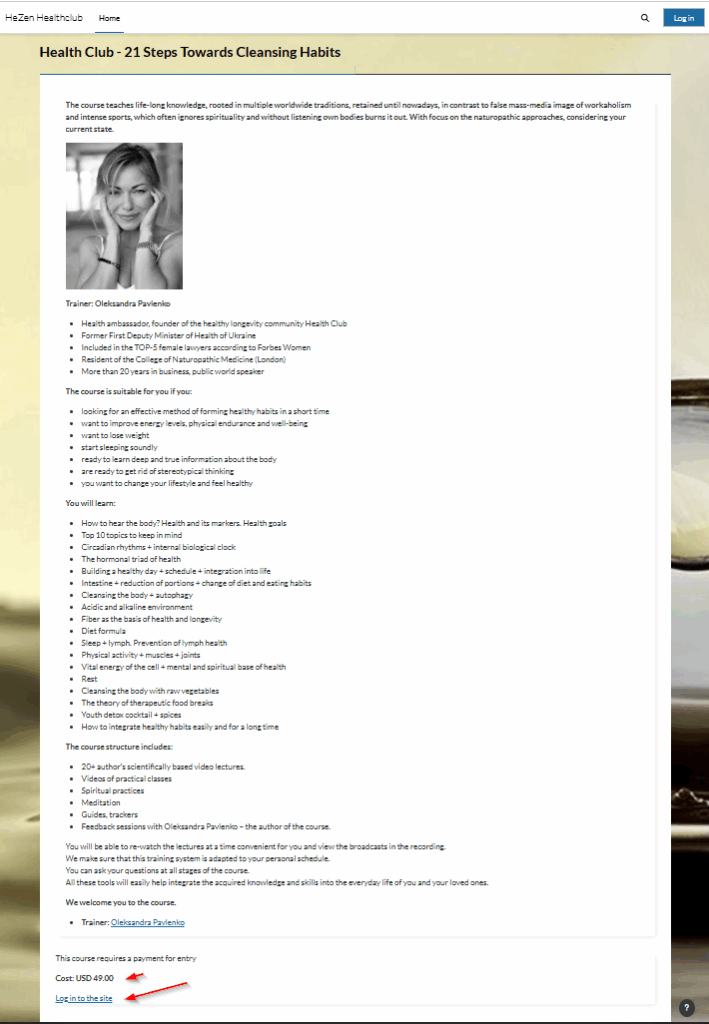
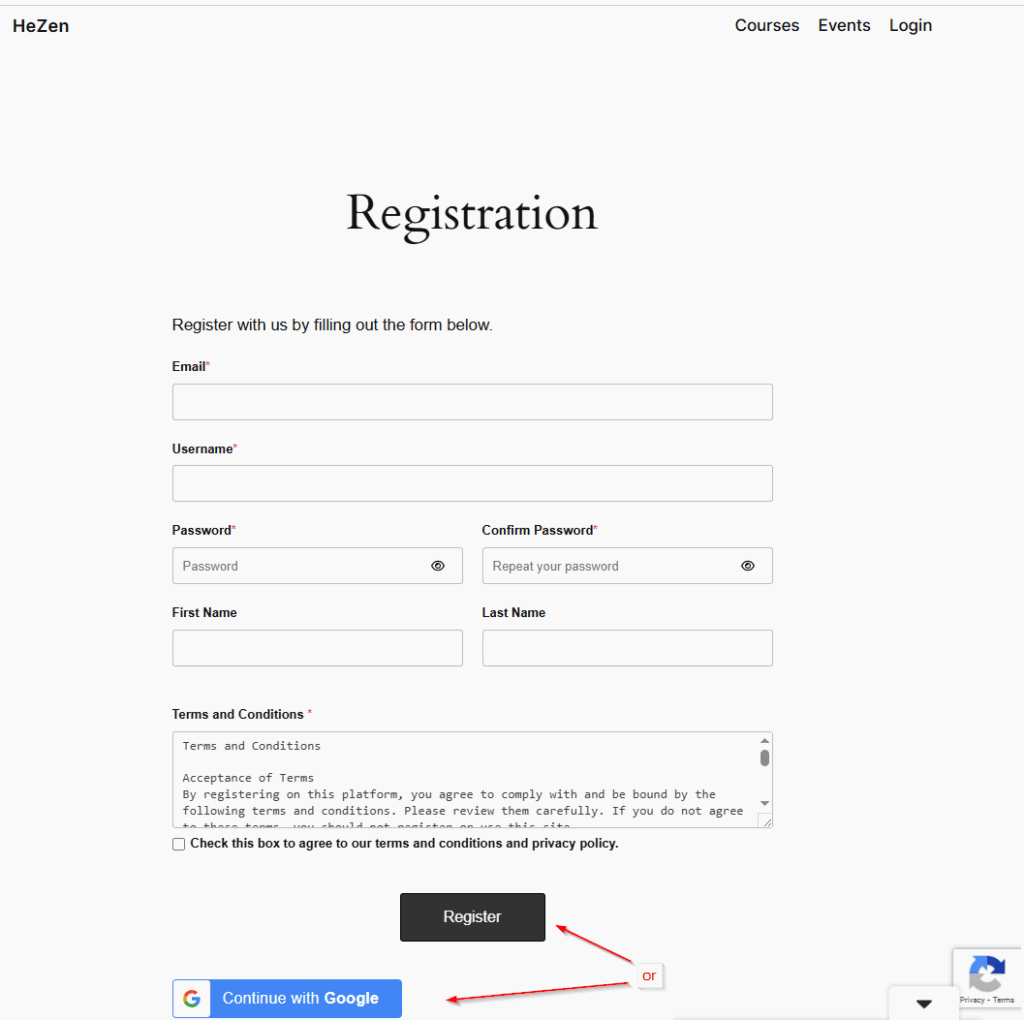
You can create your account from the main portal: https://hezen.us/registration
*It will automatically create the account in the learning system as well.
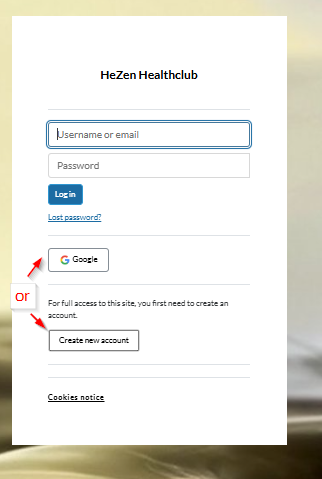
Or you can create an account directly at the learning system:
https://healthclub.hezen.us/login/index.php
See both examples in the screenshots below
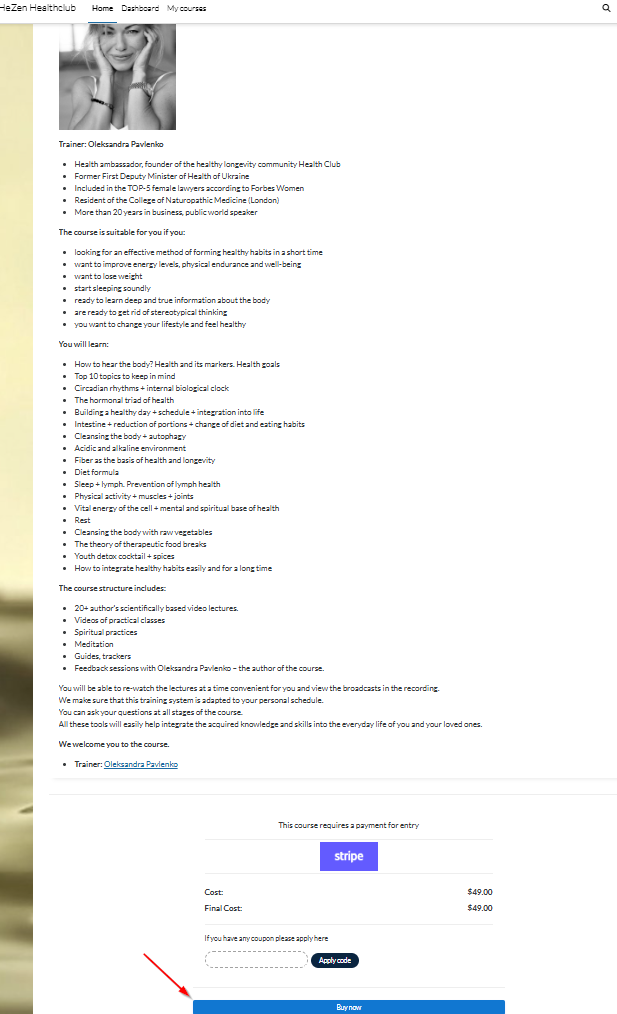
After logging in, click on “Buy now” at the bottom of the course page:
Enter your card under the payment method and click “Pay”
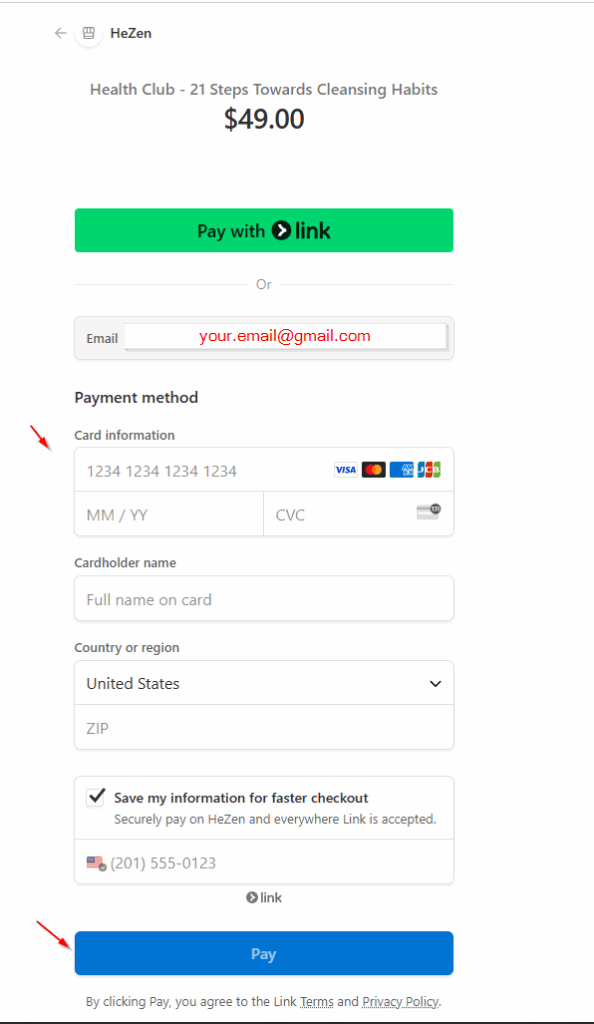
Now you shall be able to access your course when logged in
Additionally, for more convenience and offline access, you can install the mobile app:
iPhone – https://apps.apple.com/us/app/moodle/id633359593
Android – https://play.google.com/store/apps/details?id=com.moodle.moodlemobile
After installation, enter this as the connection URL inside the app: https://healthclub.hezen.us/
Use the same login as before